
Cobot Payload and Reach: How to Size a Cobot for Your Application
Cobot Payload and Reach: How to Size a Cobot for Your Application
Choosing a collaborative robot starts with two numbers: cobot payload and reach. Get them right and your cell runs fast, smooth and reliable for years. Get them wrong and you either overload a robot that looked big enough on paper, or you pay thousands of euros extra for capacity you will never use. The tricky part is that the numbers on a datasheet do not mean quite what most first-time buyers think they mean. This guide explains what payload and reach really cover, walks through the Fairino range from the FR3 to the FR30 with example tasks, and gives you a simple five-step method to size your next cobot with confidence.
What cobot payload really means (yes, your gripper counts)
Payload is the maximum weight the robot can handle at its tool flange. The key word is everything at that flange, not just the product you are moving. Your real payload requirement includes:
- The gripper or tool itself. An electric two-finger gripper can easily weigh around a kilogram, and vacuum units, welding torches or screwdriving spindles often weigh more.
- Adapters and extras. A tool changer, dual tool adapter, force sensor or wrist camera each add several hundred grams.
- Cables and hoses routed along the arm down to the tool.
- The part you are moving, and specifically the heaviest variant you will ever run, not the average one.
This is the single most common sizing mistake we see at TMC Robotics. A customer has parts of 2.5 kg, so they assume a 3 kg cobot will do. Add a 1 kg gripper and a 0.5 kg tool changer and the real requirement is already 4 kg. That job belongs on a 5 kg robot like the FR5, not on a 3 kg model.
A good rule of thumb is to keep the total tool-plus-part weight below roughly 80 percent of the rated payload. That margin keeps cycle times high, reduces wear on the joints and leaves room for a heavier gripper or a new product variant later on.
What reach really means (and why you should not use all of it)
Reach is the distance from the center of the robot base to the wrist at full extension. Just like payload, the datasheet number needs some interpretation before you can trust it:
- There is a dead zone close to the base. A cobot cannot work right up against its own foot, so the usable workspace is a donut shape rather than a full circle.
- The edge of the envelope is not comfortable working space. At full stretch the wrist loses freedom to orient the tool, and many positions become hard or impossible to reach at the angle you need.
- Leverage matters. Carrying a heavy part at full extension puts far more load on the joints than carrying it close to the base. A move that is easy near the robot can be a struggle at the boundary of the envelope.
In practice, plan your pick and place positions well inside the working envelope and treat the outer stretch as reserve. If your layout only works when the robot is fully extended, you need either more reach or a smarter layout. Not sure whether the whole cell will pass a risk assessment at the size you pick? Our guide on cobots and safety fences covers that side.
The third factor everyone forgets: footprint and mounting
Payload and reach get all the attention, but a bigger robot brings bigger consequences: a larger base diameter, a heavier arm, a bulkier controller and a sturdier frame or pedestal to bolt it all to. On a crowded shop floor those centimeters count.
Mounting is also a sizing tool in its own right. A pedestal raises the robot so a shorter arm can still serve a tall machine. Wall or ceiling mounting can turn an awkward layout into an easy one without jumping to a longer and more expensive arm. Before you upsize the robot, always check whether repositioning it solves the problem. It is usually far cheaper.
Cobot payload and reach across the Fairino range
Fairino keeps sizing refreshingly simple: the model number is the payload in kilograms, and reach grows with the size of the arm. As a quick guide to which model fits which job:
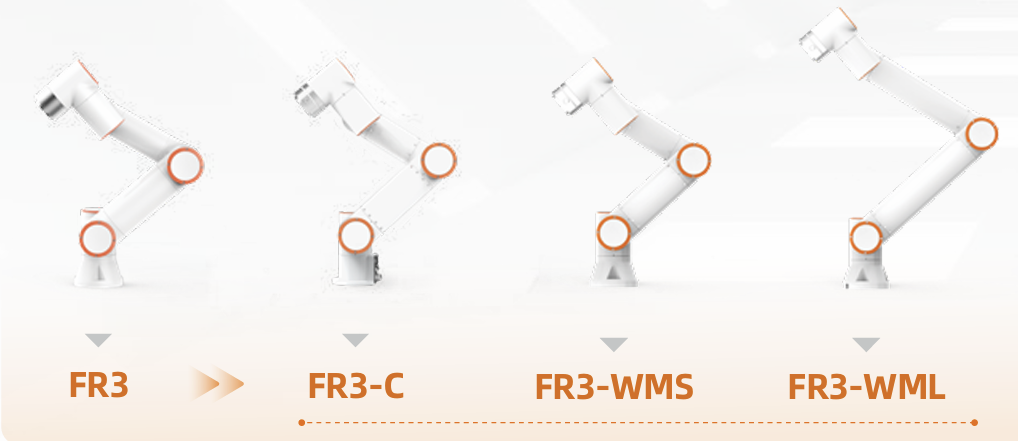
- FR3, 3 kg, 622 mm reach: compact bench-top work such as small part assembly, testing, dispensing and lab automation. Also a favourite for education and training cells.
- FR5, 5 kg, 922 mm reach: the all-rounder. CNC machine tending, pick and place, screwdriving and light packaging. For most first deployments the 5 kg class is the sweet spot.
- FR10, 10 kg, 1400 mm reach: heavier parts, larger workspaces, welding packages and multi-part grippers that would max out a smaller arm.
- FR16, 16 kg, 1034 mm reach: dense parts and heavy grippers, such as double or quadruple grippers that pick several products per cycle.
- FR20, 20 kg, 1854 mm reach: palletizing boxes, loading heavier machine parts and end-of-line handling.
- FR30, 30 kg, 1403 mm reach: the heavy lifter for big parts, full-case palletizing and demanding machine tending.
You can compare every model on our products page, with payload and reach next to each other.
A five-step method to size your cobot
- 1. Weigh the complete tool stack. Gripper, tool changer, sensor, cabling and the heaviest part, all added together. This number, not the part weight alone, is your payload requirement.
- 2. Map the workspace. Measure the distance from a realistic robot position to the furthest pick or place point, including any reach into a machine or over a conveyor edge.
- 3. Add margin. Stay below about 80 percent of rated payload and keep critical positions well inside the reach envelope.
- 4. Check orientation and speed. Awkward tool angles, fast cycles and long horizontal stretches all push a robot harder than the raw numbers suggest. When in doubt, size up.
- 5. Sanity-check the layout with your supplier. A short review of your cell drawing or a site visit catches sizing problems before they are bolted to the floor.
Common cobot sizing mistakes to avoid
- Forgetting the gripper weight. By far the number one reason cobots end up overloaded in the field.
- Buying maximum reach just in case. Longer arms cost more, need more floor space and give up some rigidity and speed. Buy the reach your layout needs, with sensible margin, and no more.
- Sizing for the average part instead of the heaviest. The robot has to handle your worst case every single cycle.
- Ignoring the future. If a heavier product or a second task is on the roadmap, factor it in now. Stepping up one size at purchase is much cheaper than replacing a robot in a year.
Häufig gestellte Fragen
Does the gripper count toward cobot payload?
Yes. Payload is measured at the tool flange and covers the gripper, any adapters or sensors, cables and the part itself. Always add them up before choosing a model.
What happens if I overload a cobot?
Expect protective stops, position errors and slower cycles at best, and accelerated joint wear at worst. Running a robot beyond its rated payload can also void the warranty.
Is more reach always better?
No. A longer arm costs more, takes more space and trades away some rigidity and speed. Positions at the very edge of the envelope are also awkward to use. Size the reach to your layout, not to the biggest number available.
Which cobot size is right for a first project?
For many workshops the 5 kg class, such as the FR5 at 5 kg and 922 mm, hits the sweet spot of payload, reach and price. But weigh your full tool stack first. If it lands above 4 kg, look at the FR10 instead.
Still doubting between two sizes? Send us your part weight, gripper choice and a photo of the workspace via our quote form or contact form and we will size the right Fairino cobot together with you. You can also browse real installations on our cases page to see which models other companies picked for similar jobs.
